The answer is: No, vertical movement on CNC mills doesn’t have to use G01! The choice between G00, G01, or other G-codes depends on the purpose of the movement and specific machining requirements.
As a CNC programming engineer with over 10 years of experience, I often encounter this question from beginners. The confusion between G00 and G01 for Z-axis movement is one of the most common misunderstandings in CNC machining. Let’s explore this topic in depth to understand when to use each command.

Understanding CNC Machine Axes
First, let’s clarify the basic concept of CNC machine axes:
CNC machines typically have three linear axes:
- X-axis: Left-right movement
- Y-axis: Forward-backward movement
- Z-axis: Up-down (vertical) movement
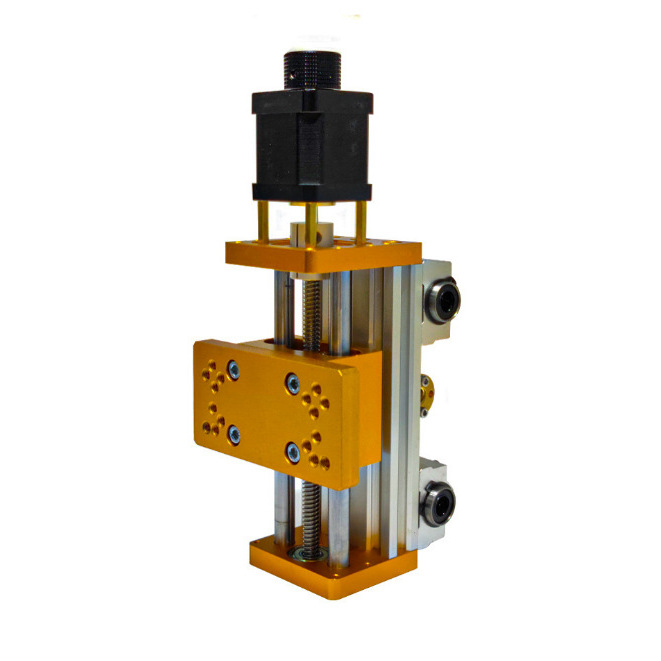
The Z-axis is what we call “vertical movement” in CNC machining. It controls the depth of cut and the position of the tool relative to the workpiece.
What is G00 and G01?
To understand vertical movement commands, we need to first know the difference between G00 and G01:
G00 – Rapid Traverse
- Purpose: Fast positioning without cutting
- Speed: Machine’s maximum rapid speed
- Path: Linear or shortest path (depends on machine)
- Usage: Non-cutting movements
G01 – Linear Interpolation
- Purpose: Precise cutting movement
- Speed: Controlled by F (feed rate) parameter
- Path: Straight line between points
- Usage: Cutting operations
When to Use G00 for Vertical Movement
G00 is suitable for vertical movement in the following situations:
1. Tool Changes
When changing tools, the Z-axis needs to move up quickly to provide clearance for the tool changer.
G00 Z100.0 ; Rapidly move Z-axis up to 100mm
T02 M06 ; Change to tool 2
2. Positioning Before Cutting
Moving the tool down to a safe position above the workpiece before starting the cut.
G00 Z5.0 ; Rapidly move to 5mm above workpiece
3. Retracting After Cutting
Quickly moving the tool up after completing a machining operation.
G00 Z10.0 ; Rapidly retract tool to 10mm height
When to Use G01 for Vertical Movement
G01 must be used for vertical movement in these critical situations:
1. Cutting Operations
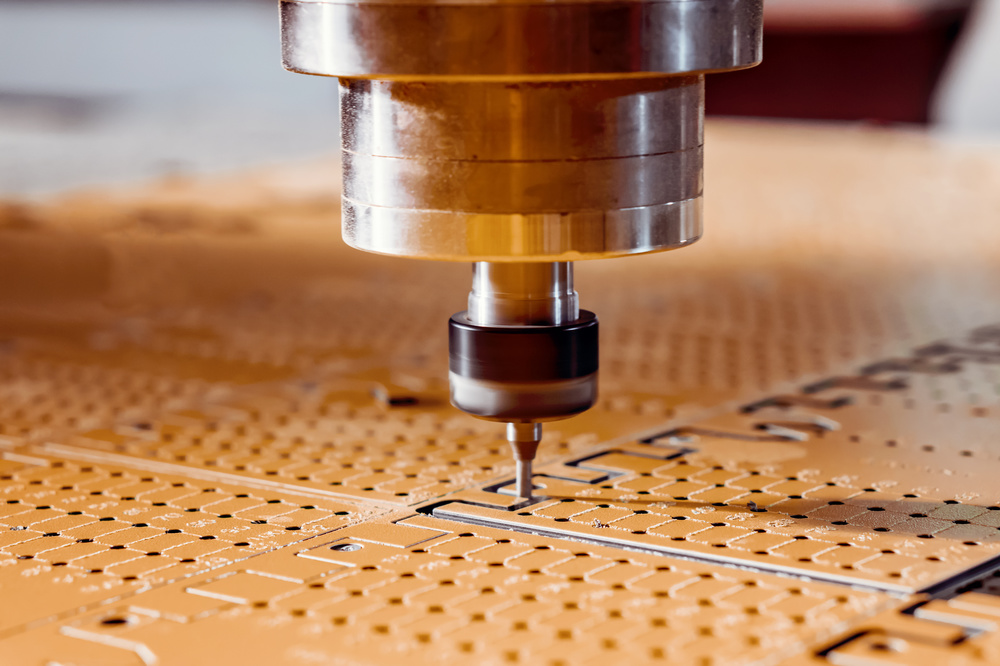
When the tool is in contact with the workpiece and removing material.
G01 Z-5.0 F100.0 ; Feed down to 5mm depth at 100mm/min
2. Precise Depth Control
When accurate depth positioning is required for the machining process.
G01 Z-2.5 F50.0 ; Precisely position at 2.5mm depth
3. Chamfering and Profiling
Creating bevels or complex profiles that require controlled feed rates.
G01 Z-3.0 F75.0 ; Controlled vertical movement for chamfer
Key Differences Between G00 and G01 for Z-axis
Let’s compare these two commands specifically for vertical movement:
|
Feature
|
G00 – Rapid Traverse
|
G01 – Linear Interpolation
|
|
Purpose
|
Fast positioning
|
Precise cutting
|
|
Speed
|
Maximum rapid speed
|
Programmed feed rate (F)
|
|
Accuracy
|
Good for positioning
|
High precision required
|
|
Safety
|
Keep clear of obstacles
|
Controlled movement
|
|
Application
|
Non-cutting
|
Cutting operations
|
Common Mistakes to Avoid
Mistake 1: Using G00 for Cutting
This is the most dangerous mistake! Using G00 when the tool is in contact with the workpiece can cause:
- Broken tools
- Damaged workpieces
- Machine crashes
Mistake 2: Using G01 for Rapid Movements
While not dangerous, this reduces machining efficiency by using slow feed rates for non-cutting movements.
Mistake 3: Forgetting the F Parameter with G01
Always specify the feed rate when using G01 for vertical movement.
G01 Z-5.0 F150.0 ; Correct – with feed rate
G01 Z-5.0 ; Incorrect – missing feed rate
Practical Programming Examples
Let’s look at some real-world examples of vertical movement programming:
Example 1: Drilling Operation
O0001 (DRILLING PROGRAM)
G90 G54 G00 X10.0 Y10.0 ; Rapid position XY
S1500 M03 ; Start spindle
G43 H01 Z5.0 M08 ; Tool length compensation
G01 Z-10.0 F50.0 ; Feed drill to depth (G01 for cutting)
G04 P2.0 ; Dwell for 2 seconds
G00 Z5.0 ; Rapid retract (G00 for non-cutting)
X20.0 Y20.0 ; Rapid position to next hole
G01 Z-10.0 F50.0 ; Feed to depth again
G00 Z5.0 ; Rapid retract
G28 G91 Z0 ; Return Z-axis to home
M30 ; Program end
Example 2: Face Milling
O0002 (FACE MILLING)
G90 G54 G00 X0 Y0 ; Rapid position to center
S1000 M03 ; Start spindle
G43 H01 Z5.0 M08 ; Tool length compensation
G01 Z-2.0 F80.0 ; Feed down to cutting depth
X50.0 Y50.0 F200.0 ; Mill across workpiece
X0 Y0 F200.0 ; Return to center
G00 Z5.0 ; Rapid retract
M30 ; Program end
Advanced Considerations
1. Machine-Specific Behaviors
Different CNC machines may handle G00 differently:
- Some use linear interpolation for G00
- Others use the shortest path (may not be linear)
- Always check your machine’s documentation
2. Safety Considerations
- Always verify G00 paths to avoid collisions
- Use safe Z-heights for all rapid movements
- Consider using G28 or G30 for reference position returns
3. Modern Machine Features
Many modern CNC machines have advanced features:
- Look-ahead for smoother G01 movements
- Rapid override to adjust G00 speed
- Smooth transition between G00 and G01

Other G-codes for Vertical Movement
While G00 and G01 are the most common, there are other G-codes that affect vertical movement:
G28/G30 – Return to Reference Point
G28 G91 Z0 ; Return Z-axis to home position
G43/G44 – Tool Length Compensation
G43 H01 Z5.0 ; Apply tool length compensation
G92 – Coordinate System Setting
G92 Z0.0 ; Set current Z-position to 0
Programming Best Practices
Based on years of industry experience, here are my recommendations:
For Beginners
- Always use G01 for cutting movements – better safe than sorry
- Use G00 only for non-cutting movements
- Double-check Z-axis positions before running programs
For Experienced Programmers
- Optimize G00 usage to reduce cycle time
- Use G01 for critical positioning when precision is required
- Implement safety checks in your programs
Conclusion
After this detailed exploration, we can conclude:
Vertical movement on CNC mills does NOT have to use G01!
The correct command depends on:
- Movement purpose: Cutting vs. non-cutting
- Precision requirements: High precision vs. positioning
- Safety considerations: Clearance vs. contact
Remember these key points:
- G00 for fast, non-cutting vertical movements
- G01 for precise, cutting vertical movements
- Always consider safety when choosing between commands
By understanding the proper use of G00 and G01 for Z-axis movement, you can program more efficient and safer CNC operations.