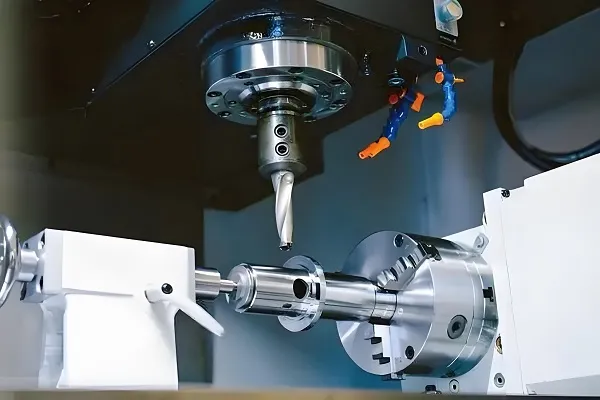
G28 is a modal G-code in CNC programming that commands the tool to return to the machine’s reference point (home position). It functions by first moving the tool to a specified intermediate point (defined by X, Y, Z coordinates) to avoid collisions, then automatically proceeding to the reference point. Critical for safety during tool changes or program transitions, it ensures consistent, repeatable positioning across machining operations.
Detailed Analysis of G28 in CNC
1. Technical Function & Syntax
G28 operates as a fundamental positioning code, with precise syntax and behavior tailored to machine safety:
-
Core Function: G28 initiates a two-stage movement: first to an intermediate point (IP) specified by axis coordinates (X, Y, Z, etc.), then to the machine reference point (MRP)—a fixed, calibrated position (often the farthest corner of the machine workspace) used as a universal zero for repositioning. This two-step motion prevents the tool from colliding with workpieces, fixtures, or machine components during travel.
-
Syntax Structure: The standard format is
G28 X_ Y_ Z_;, where X, Y, Z values define the intermediate point. Omitting an axis (e.g.,G28 X100 Y50;) means that axis retains its current position during the first move, then joins the reference point move. For example:G28 X50 Y30 Z10;commands the tool to move to (50, 30, 10) first, then to MRP.G28 U0 W0;(in lathe programming) uses U/W offsets to define the intermediate point relative to the current position.
-
Modal Behavior: Once executed, G28 remains active until canceled by another code (e.g., G00 for rapid positioning). However, most programmers explicitly call G28 only when needed (e.g., end of program) to avoid unintended reference point returns.
2. Operational Process & Safety Mechanisms
Using G28 requires careful planning to leverage its safety benefits without disrupting workflow:
-
Pre-Execution Setup:
- Intermediate Point (IP) Selection: The IP must be a “safe zone”—clear of workpieces, clamps, and machine obstacles. For a 3-axis mill machining a 100×100mm part, a typical IP might be (150, 150, 50), ensuring the tool lifts above the part before moving horizontally.
- Tool Length Compensation: G28 automatically cancels tool length compensation (G43/G44) to prevent incorrect Z-axis positioning. Programmers must reactivate compensation (e.g.,
G43 H1 Z50;) after G28 if resuming machining.
-
Movement Sequence:
- The tool moves rapidly (G00 feed rate) to the IP, following the shortest path (linear interpolation for simultaneous axis movement).
- Upon reaching the IP, the machine switches to reference point return mode, moving all specified axes to their MRP (often using a slower, precise feed rate to engage reference point switches).
- Once at MRP, the machine sends a confirmation signal (e.g., “HOME” indicator on the control panel), and axes are reset to their reference coordinates (e.g., X0 Y0 Z0 in mill, Z0 in lathe).
-
Emergency & Routine Use: G28 is commonly used:
- At the end of a program to park the tool safely.
- Before tool changes to ensure the spindle is at a fixed position for automated changers.
- During manual interventions (e.g., operator pauses) to reset tool position.
3. Machine-Specific Variations
G28 behavior can vary slightly across CNC systems, requiring adherence to manufacturer specifications:
- Reference Point Definition: Most machines use a physical reference point (mechanical stops or proximity sensors), but some (e.g., Fanuc 31i) allow “floating” reference points set via parameters. This affects how G28 calculates the final position.
- Axis Prioritization: On 5-axis machines, rotary axes (A, B, C) may or may not participate in G28, depending on settings. For example, a Haas 5-axis mill might require
G28 A0 B0;to return rotary axes to home, separate from linear axes. - Intermediate Point Omissions: Some controls (e.g., Siemens Sinumerik) allow
G28;without coordinates, using the last programmed position as the IP. This is risky—explicit IPs are safer to avoid collisions.
4. Applications Across Machining Scenarios
G28 is indispensable in diverse CNC operations, ensuring consistency and safety:
- Batch Production: In automotive part manufacturing (e.g., machining 100 aluminum brackets), G28 at the end of each cycle returns the tool to MRP, allowing automated loaders to swap workpieces without collision. The fixed IP (e.g., X200 Y200 Z30) ensures the tool clears the fixture every time.
- Complex Part Machining: For aerospace components with multiple setups (e.g., a turbine blade requiring 3+ operations), G28 resets the tool between setups, ensuring each new operation starts from a known reference point—critical for maintaining ±0.001mm tolerances.
- Manual Tool Changes: On mills without automatic tool changers (ATCs), G28 positions the spindle at MRP, giving operators clear access to swap tools (e.g., changing from a 10mm end mill to a tap) without reaching over the workpiece.
- Emergency Stops: If a program halts unexpectedly, manually executing
G28 X_ Y_ Z_;moves the tool to safety, preventing damage to the part or tool during troubleshooting.
5. Common Mistakes & Mitigations
Misusing G28 can lead to collisions or dimensional errors; avoiding these requires attention to detail:
- Poor Intermediate Point Selection: Choosing an IP too close to the workpiece (e.g., X80 Y80 for a 100×100mm part) risks the tool scraping the part during the first move. Solution: Always set IPs 20–50mm beyond the workpiece boundary, verified via simulation.
- Forgetting Compensation Cancellation: G28 disables tool length and radius compensation. Resuming machining without reactivating (e.g.,
G41 D1;for radius compensation) causes undercuts or overcuts. Solution: Include compensation reactivation immediately after G28. - Ignoring Machine Parameters: Some machines require
G28to be preceded byG91(incremental mode) for rotary axes, leading to incorrect positioning if overlooked. Solution: Consult the machine manual for parameter-specific syntax. - Overusing G28: Frequent unnecessary G28 calls (e.g., between every operation) waste cycle time. Solution: Use G28 only at critical points (end of program, tool changes) to optimize efficiency.
6. Comparison with Related Codes
G28 works alongside other reference point codes, each serving distinct purposes:
- G29: “Return from reference point”—follows G28, moving from MRP to a specified position via an intermediate point. Used to resume machining after G28 (e.g.,
G29 X100 Y50 Z20;moves from MRP to IP, then to (100,50,20)). - G30: Returns to a secondary reference point (e.g., a separate tool change position on large machines). Useful for ATCs, where tool changes occur at a different location than the main MRP.
- G53: Direct machine coordinate positioning, moving to MRP without an intermediate point. Riskier than G28 but faster for simple setups with no obstacles.
In summary, G28 is a vital CNC code that ensures safe, repeatable tool positioning by combining an intermediate safety move with a return to the machine reference point. Its proper use—through careful IP selection, awareness of compensation behavior, and adherence to machine-specific rules—prevents collisions and maintains precision across industries from automotive to aerospace.