How to Program a CNC Machine: From CAD to Verified G-Code
A technical guide to how a CNC program is engineered and released — from drawing review and process planning through CAM, post-processing, simulation, machine setup and first-article inspection.
- Founded in 1998OEM/ODM manufacturer
- 100+ MachinesAcross six processes
- ISO 9001:2015Quality system
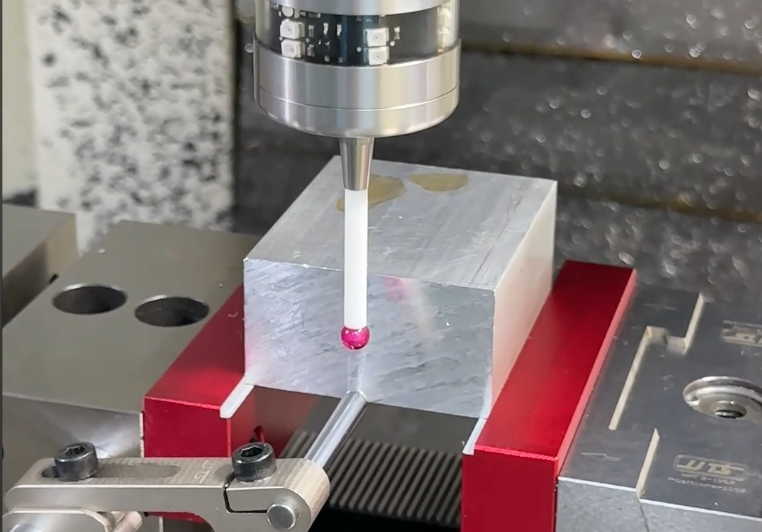
CNC programming converts part geometry and manufacturing requirements into machine-specific instructions. In a typical modern workflow the process moves from CAD and drawing review, through process planning, CAM toolpath generation, post-processing, simulation, machine setup and first-part inspection, to production release. Programming is not "writing G-code" in isolation — it is the engineering step that makes a drawing into a repeatable part.
The CNC Programming Workflow
This sequence is the backbone of the page. Each stage is expanded below; it is also the chain a buyer should expect a supplier to be able to describe.
What Is CNC Programming?
CNC programming is the work of turning a part's geometry and manufacturing requirements into instructions a machine can execute. It is easy to reduce this to "writing G-code," but that misses the real scope. A complete programming effort starts long before code: it reads the drawing, decides how the part should be made, plans operations and tooling, builds toolpaths, converts them for a specific control, verifies them, and proves them out on the machine.
It helps to separate the three terms buyers often hear together. CAD defines the geometry. CAM (computer-aided manufacturing) generates the toolpaths and machining operations from that geometry. CNC programming is the resulting, machine-ready set of instructions — G-code and M-code, work offsets, tool data and setup information — that actually runs the part. A 3D model defines shape; the 2D drawing usually defines the tolerances, datums, surface finishes and inspection points that the program must respect.
For a longer explanation of the underlying process, see what CNC machining is.
Review the CAD Model and Technical Drawing
Programming begins with the engineering inputs, not with the editor. Before any toolpath is built, the programmer checks the data the part actually carries:
- Units and scale — confirm metric or imperial (G21/G20) and that nothing was exported at the wrong scale.
- Datums and GD&T — know which faces and holes the tolerances are referenced to.
- Critical dimensions — identify the few features that drive function and inspection.
- Surface finish — a Ra value changes tooling and pass strategy.
- Material and condition — raw stock size, alloy, and whether it is plate, bar or cast.
- Hard features — deep pockets, thin walls, small internal radii, long reaches and areas with poor tool access.
- Holes, threads and tolerance stack-up — these decide drilling, tapping and setup order.
The drawing is the contract. Tolerances such as ±0.01 mm typical — and ±0.005 mm only on selected, qualified features — must be translated into specific operations and inspection steps, not assumed uniformly across the part.
Determine the Machining Process
CNC programming does not start with G-code; it starts with deciding how the part should be made. The first decision is the family of operations: milling, turning, mill-turn, drilling, boring, threading or finishing, and which machine axes are required — 3-axis, 4-axis or 5-axis.
Once the process is set, the operation sequence is planned. A common order is facing → roughing → semi-finishing → drilling → pocketing → contouring → finishing → chamfering. The principle is consistent: remove the bulk material first, then refine; machine primary features before secondary ones; and generally address surfaces before holes so the part is stable when it is drilled. This planning step is where most of the part's cost and risk are actually determined.
Choose the Machine and Workholding Strategy
The machine and how the part is held decide how many setups the program needs. Each setup adds handling, fixturing and a chance for cumulative error, so minimizing setups is a programming objective, not just a shop-floor convenience.
| Decision | Options | What it changes |
|---|---|---|
| Machine | 3-axis VMC, 4-axis, turning center, mill-turn, 5-axis | Reachable geometry, setup count, cycle time |
| Workholding | Vise, chuck, soft jaws, fixture, custom fixture | Rigidity, accessibility, repeatability |
| Setup strategy | How many flips / re-clamps are required | Datums, tolerance stack-up, throughput |
Where a part has features on multiple faces, a 5-axis machine can often reach them in one setup. Goldcattle covers this specifically on the 5-axis CNC machining page; the programming implications are discussed later in this guide.
Select Tools and Determine Cutting Data
Tool selection is not "pick an end mill." It is driven by the interaction of several variables:
- Material and hardness
- Feature geometry — pockets, slots, deep holes, contours
- Tool diameter, flute count and reach
- Holder and tool rigidity
- Target tolerance and surface finish
Tool selection, cutting parameters and toolpath strategy are linked: the chosen tool sets the feasible speeds and feeds, and the toolpath strategy (for example adaptive roughing versus constant-Z finishing) sets how that tool engages the material. Suppliers who treat these as one decision make more predictable parts.
Generate Toolpaths in CAM
With the plan and tools set, the programmer builds the toolpaths in CAM. The typical order is: import CAD → define stock → set the work coordinate system (WCS) → choose operations → assign tools → set cutting parameters → generate toolpaths → optimize → simulate.
Facing
Establish a flat, accurate reference face and bring the stock to size.
Adaptive / Roughing
Remove bulk material efficiently while controlling tool load.
Pocketing & Contouring
Machine internal pockets and external profiles to shape.
Drilling & Threading
Position and create holes, including taps and interpolated threads.
3D / Finishing
Refine surfaces to the required finish and tolerance.
Chamfering
Break edges and meet deburring or assembly needs.
This is the stage where most of the part's geometry is actually defined as motion. Done well, it also produces the data needed for the next two steps — post-processing and simulation.
Post-Process the Toolpath for the CNC Control
A CAM toolpath is not machine-ready G-code. A post processor translates the generic toolpath into the NC/G-code dialect of a specific controller — its syntax, cycle codes, rotary-axis handling and output format. The same CAM file can yield different G-code for different controls, and an incorrect or unverified post is a frequent source of invalid NC code.
This is the most commonly under-explained step in beginner articles, and it is exactly where a manufacturing supplier earns trust: the program must match the machine it will run on, not just "look right" in CAM.
G-code Fundamentals (Quick Reference)
G-code is the language the controller reads. A short reference is enough to make the rest of the workflow readable; it is not meant to replace a controller manual.
G00G01G02 / G03G20 / G21G90 / G91G54–G59G43G41 / G42M03 / M05M06M08 / M09M30
- Motion: G00 rapid, G01 linear feed, G02/G03 arc (clockwise/counter-clockwise).
- Mode: G20/G21 inch/metric; G90/G91 absolute/incremental — wrong mode is a classic cause of a runaway move.
- Work offset: G54–G59 set the part coordinate system relative to machine zero.
- Tool compensation: G43 tool-length offset; G41/G42 cutter radius compensation.
- M codes: M03/M05 spindle on/off, M06 tool change, M08/M09 coolant on/off, M30 program end.
Simulate and Verify the Program
Verification happens in two layers before any production metal is cut.
CAM simulation
Checks toolpath, material removal, gouging, collision, holder interference, overtravel and rapid moves.
Machine simulation
Checks kinematics, rotary-axis motion, fixture collision and spindle/tool-holder clearance on the specific machine.
Simulation is the primary safeguard against crashes, scrap and rework. A program that has not been simulated — or simulated only at the CAM level — still carries risk on the actual machine.
Prepare the Machine Setup
The setup turns the program into a runnable job. A proper setup sheet captures the information another operator would need to reproduce the part:
- Program number and revision
- Material and stock size
- Machine, fixture and work offset
- Tool list with tool-length offsets and cutter diameters
- Coolant, critical dimensions and inspection notes
Prove Out the Program and Make the First Cut
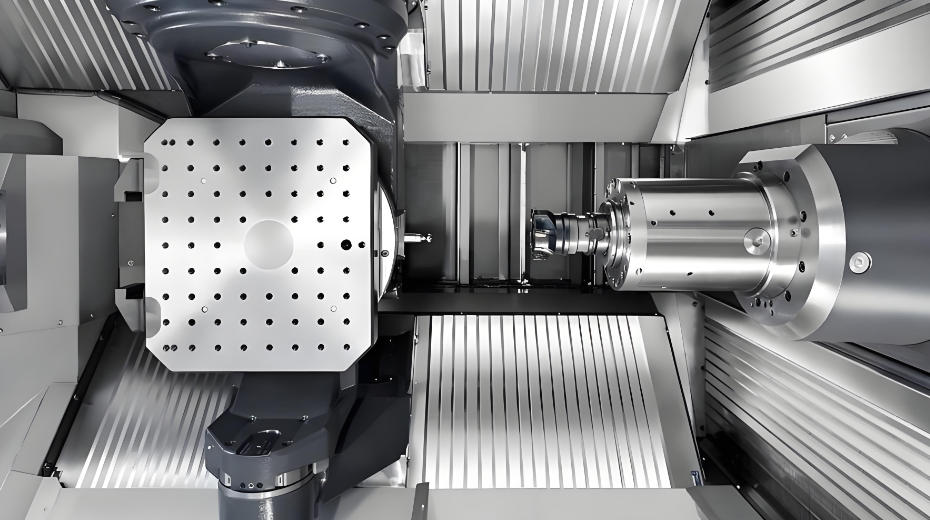
Before a run, the program is prove-out tested rather than trusted blindly:
- Dry run — execute with no part to confirm motion and sequence.
- Single block — step through critical moves one at a time.
- Reduced feed override — slow the first cuts to a safe speed.
- Optional stop — pause at key points to check.
- First cut — begin material removal cautiously and confirm the result.
Machine the First Part and Inspect It
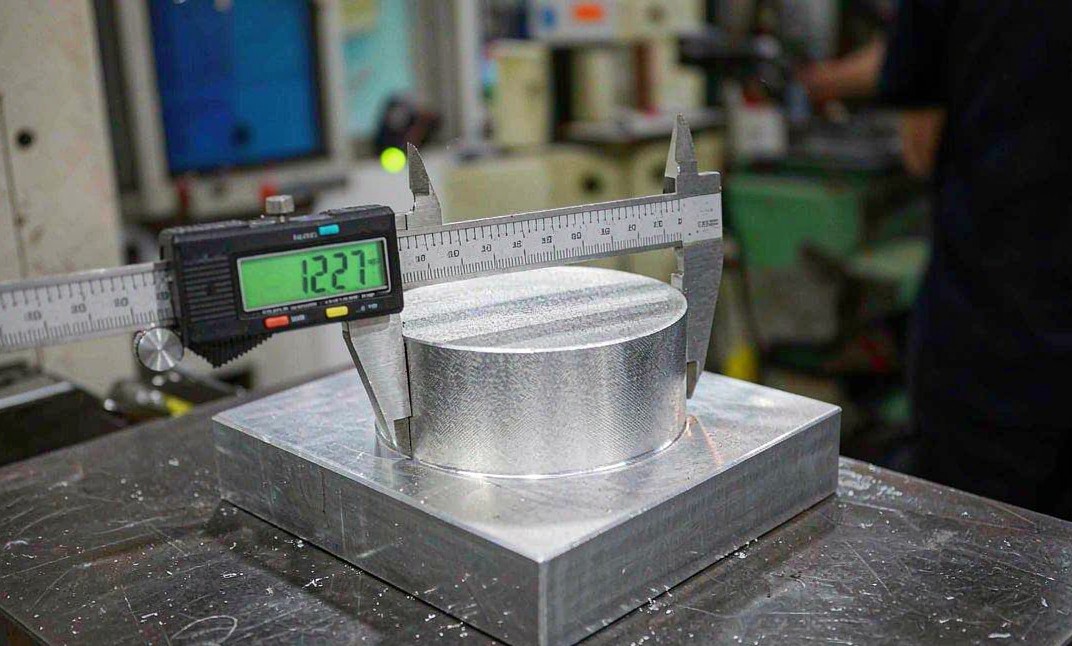
The first part is the moment the program meets the drawing. The sequence is: run the first part → measure the critical dimensions → compare against the drawing → adjust wear offsets or the toolpath if needed → approve the first article → release for repeat production. This is also where quality capability shows: coordinate measuring (CMM), a dimensional report, material certificates and a certificate of conformity (CoC) are the evidence a buyer should be able to request.
Optimize for Repeat Production
Only after the first article is approved does the focus shift to efficiency: cycle time, tool life, surface finish, chip evacuation, tool wear, setup reduction and repeatability. Optimizing before the part is proven risks locking in a process that quietly makes out-of-tolerance parts faster.
3-Axis vs 4-Axis vs 5-Axis Programming
The axis count changes the programming difficulty more than beginners expect:
- 3-axis — tool moves in X/Y/Z; the part is re-oriented by manual setups. Post-processing and collision checks are simpler.
- 4-axis — adds one rotary axis, useful for cylindrical and indexed features, with moderate post and clearance complexity.
- 5-axis — adds tool orientation and a second rotary axis, enabling fewer setups and complex surfaces, but requiring tool-orientation control, collision avoidance, tool-holder clearance checks and a post processor that handles rotary motion correctly.
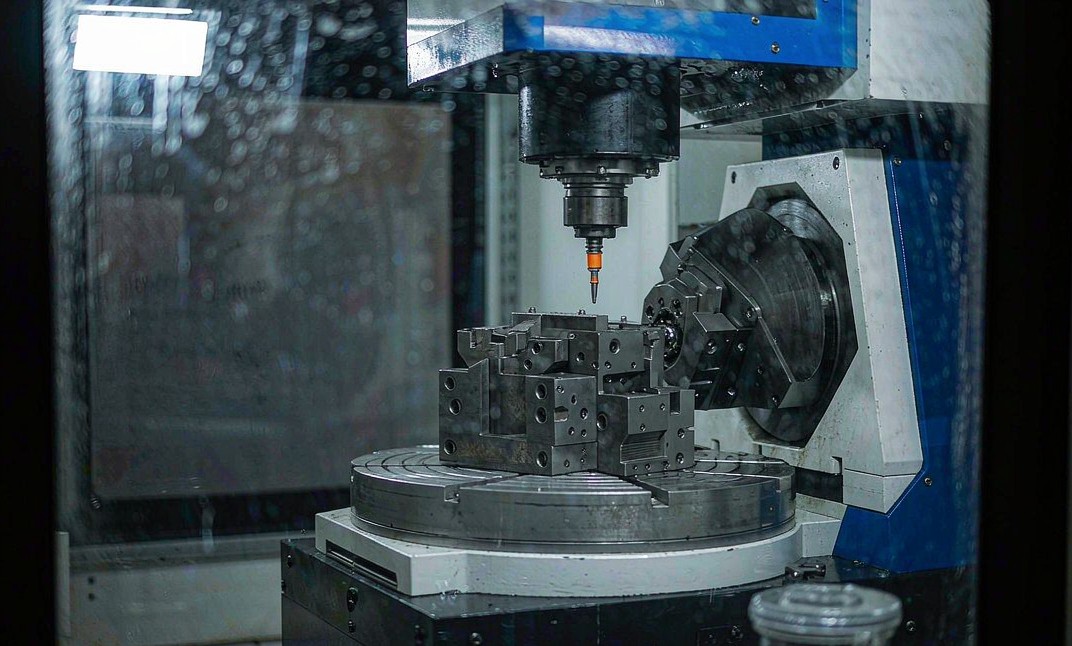
Simultaneous 5-axis is not the same as 3+2 (indexed) 5-axis, and the programming, simulation and post requirements differ accordingly. Goldcattle's 5-axis CNC machining capability covers simultaneous and indexed work on equipment such as the DMG MORI DMU 50 class.
Manual vs CAM vs Conversational Programming
| Method | Best for | Advantages | Limitations |
|---|---|---|---|
| Manual G-code | Simple geometries, edits, one-off fixes | Direct control, transparent, useful for learning | Time-consuming for complex parts |
| CAM | Complex 3D and multi-axis parts | Efficient, repeatable, includes simulation | Requires CAM and post-processing expertise |
| Conversational | Simple shop-floor jobs | Fast setup at the control | Limited for complex geometry |
Modern production rarely uses only one method; a shop typically combines CAM for complex work with conversational or manual edits for quick adjustments.
CNC Programming Example: Aluminum Precision Bracket
A representative job shows how the workflow maps to a real part.
Aluminum 6061-T6 Bracket
- MaterialAluminum 6061-T6
- OperationsFace → Rough pocket → Finish → Drill → Tap → Contour → Chamfer
- Machine3-axis vertical machining center
- Critical tolerance±0.01 mm typical
- VerificationCAM + machine simulation
- InspectionFirst-article CMM
- ResultFirst article approved, program released
Operation sequence, tolerances and inspection follow the same workflow described above. For tighter requirements, see tight-tolerance CNC machining.
The bracket is first faced and roughed to leave a finish stock allowance. Pockets and the profile are finished, then holes are drilled and tapped in the same setup to protect positional accuracy. The program is simulated, prove-out tested, and the first part is measured before the job is released. Values shown are characteristic of a defined project, not a claimed standard capability.
Common CNC Programming Errors and How to Prevent Them
| Error | Consequence | Prevention |
|---|---|---|
| Wrong work offset | Part shifted or scrapped | Verify WCS before running |
| Wrong tool number | Incorrect cutting tool | Cross-check the tool list |
| Incorrect post processor | Invalid NC code | Use the machine-specific post |
| Excessive tool stickout | Chatter or tool breakage | Minimize reach; use rigid holders |
| Wrong feed/speed | Poor finish, tool wear | Validate cutting data per tool/material |
| Fixture collision | Machine damage | Full simulation including holder |
| Incorrect units | Major dimensional error | Confirm G20/G21 |
| Wrong absolute/incremental mode | Unexpected tool movement | Confirm G90/G91 |
What a Buyer Should Provide to the Programming Team
Required
3D CAD model, 2D drawing, material grade, quantity, critical tolerances, surface finish, thread requirements, and any heat or surface treatment.
Helpful
Target application, an existing sample, inspection requirements, packaging needs, delivery target and quality documentation (material cert, CoC, CMM report).
The more defined these inputs are, the faster and more accurate the programming and quote. Guidance on preparing a precise request is in the CNC machining process guide.
When Should CNC Programming Be Outsourced?
Outsourcing the programming and machining workflow makes sense when a part needs CAD review, process planning, CAM programming, post-processing, simulation and first-article verification, but the buyer does not want to build that capability in-house. Typical cases:
- Complex 5-axis parts
- New product development
- Low-volume production
- Tight-tolerance components
- Difficult-to-machine materials
- Multi-operation parts
- Limited in-house programming resources
Outsourcing the complete workflow reduces internal engineering load and shifts verification responsibility to a supplier that runs the process repeatedly. For background on the surrounding service, see custom CNC machining services and the CNC machining process.
How Goldcattle Programs and Machines Parts
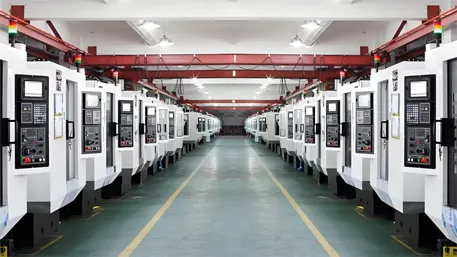
Xiamen Goldcattle Plastic & Metal Products Co., Ltd. has provided custom machined parts since 1998. Its CNC capabilities span 3-, 4- and 5-axis milling and turning, supported by 100+ machines across six processes — CNC machining, injection molding, mold making, 3D printing, die casting and sheet metal fabrication — under one ISO 9001:2015 quality system.
For machining work, the relevant controls are practical: engineering review of the drawing and GD&T, CAM programming with the correct post processor, simulation, controlled machine setup, and first-article inspection using coordinate measuring equipment. The aim is to make the part to the drawing and be able to show how it was verified.
Goldcattle serves customers in 100+ countries across automotive, machinery, medical, electronics and related industries, providing one-stop OEM/ODM custom parts from prototype through production.
Frequently Asked Questions
What is CNC programming?
Does CAM software generate G-code directly?
What is a CNC post processor?
What is a work offset such as G54?
Why is CNC simulation necessary?
How is a CNC program tested before production?
How does 5-axis CNC programming differ from 3-axis?
Can a verified CNC program be reused for repeat production?
What should a buyer provide so a CNC program can be written accurately?
Need CNC Programming and Machining From Your CAD Files?
Send your CAD model and drawing. Our engineering team can review the machining requirements, tooling strategy, programming approach and production feasibility before quotation.
Upload CAD / Request a Quote →Free DFM review · Quote typically within 24 hours
Explore CNC Machining Services →